[RESOLVED] Why don't my specific times show up on the frontend?

I have a problem that I can't figure out how to solve it. I added addons to be able to launch specific days for scheduling. Turns out I came across the "You can't cast duplicate data" lock, so I figured I'd have to cast a long period and add pauses along it. I tried the following configuration to show users the following available times for scheduling:
- 12:00
- 13:30
- 16:30
- 17:30
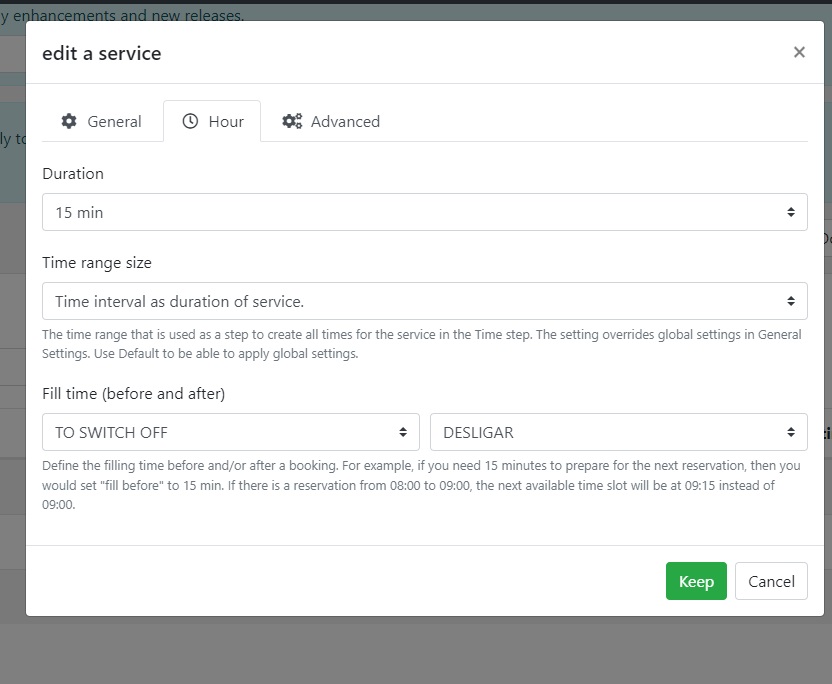
Service: Duration 15min (I tried so many others but I thought 15m would be more flexible)
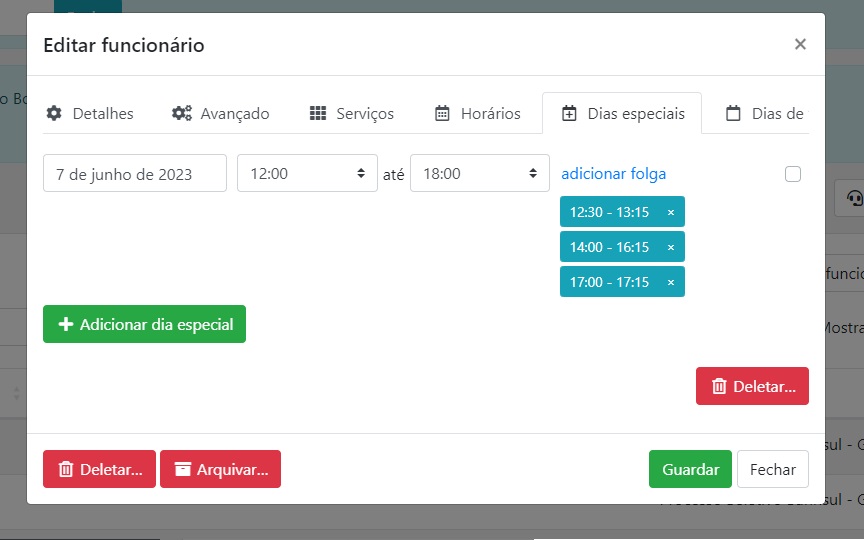
long period: DD-MM-YYYY -> 12:00 às 18:00
breaks:
- 12h30 - 13h15
- 14:00 - 16:15
- 16h45 - 17h15
The only time shown on the frontend is the 12:00 am time. What am I doing wrong? I couldn't understand the logic here. Help me please?!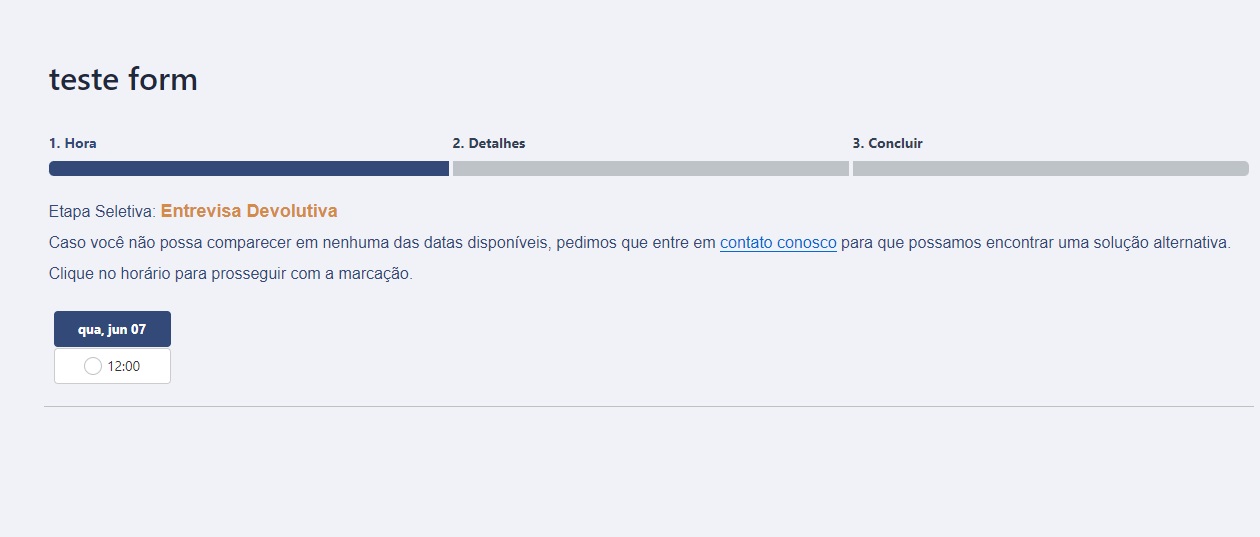
1
Comments
Hi Jessica,
1. Service duration 15 min, time slot length 1 hour.
2. Special days and breaks of the service: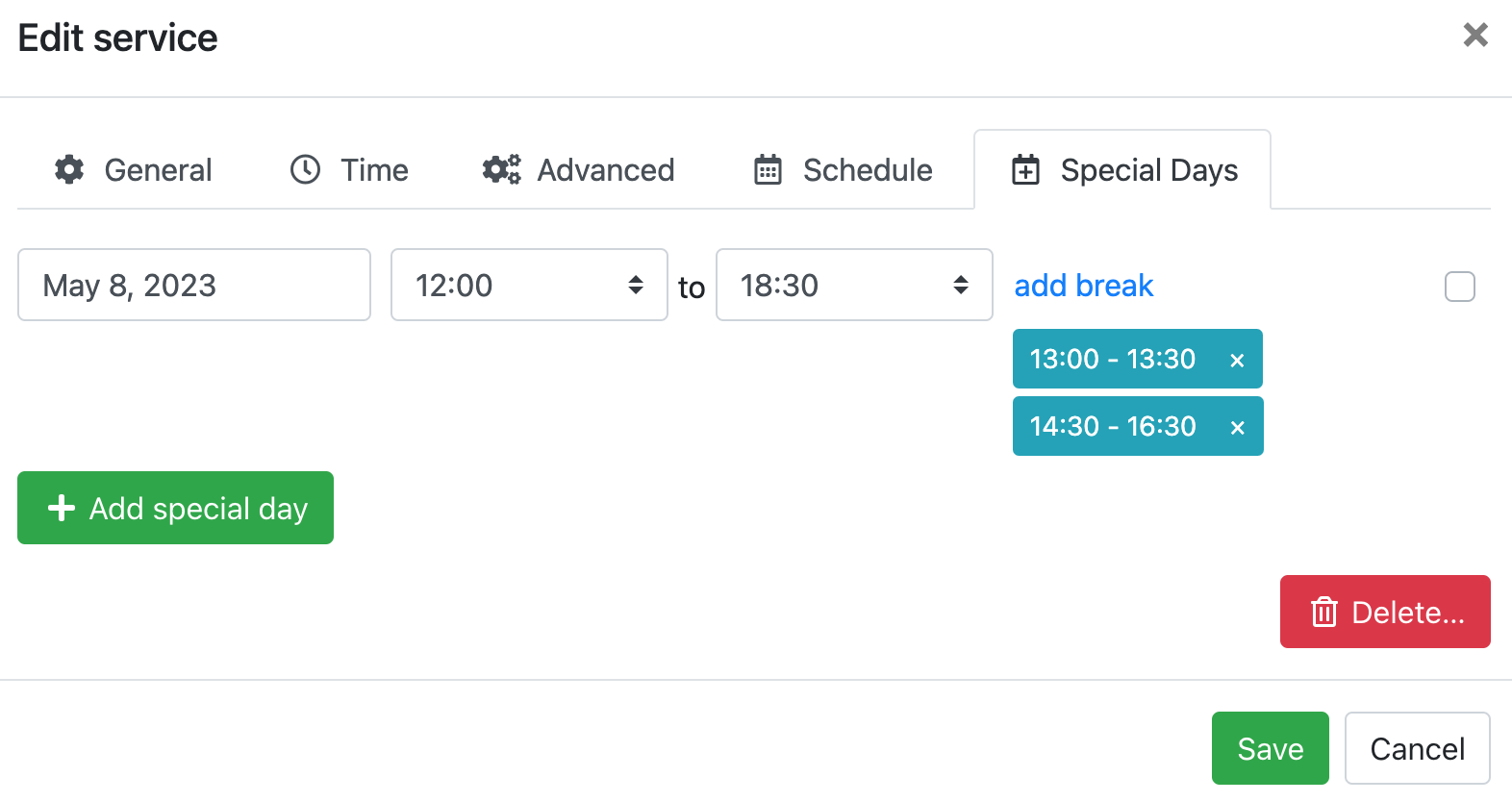
3. Staff schedule 12:00-18:00
4. Booking form:
Let us know if it worked for you. If you need further assistance, please create a support ticket via https://support.booking-wp-plugin.com/hc/en-us/requests/new and we'll look deeper into your settings.
Yes it worked, finally I could understand that the end of the break is the beginning of the next free time, before I thought that if I put the time I want to appear at the end of the break the system would not understand that it was a free time, finally I managed to solve the understanding here, and I also found out that I had removed the option to show several times on the same day, there in customize form. And for this reason it was not showing all the schedules even if I adjusted the breaks correctly.
Please sign in to leave a comment.