Setting custom padding time

Hi, i have a specific service, that requires padding time of 2.5 Hours. How can i set this up? Can i set it through custom code?
I only see 1, 2, 3 hours etc.
Fun fact - i don't see the 15 min padding option, even if it's mentioned in plugin description:
"Padding time
Determine a short time period around an appointment used for clean-up, preparation, or just rest. That time cannot be used for another booking. For example, you can set padding for 15 mins after appointment with 1 hour service duration. This means that the next available time slot for booking will be 15 mins after the booked appointment. So if the first appointment is at 08:00 am, the next availability will be at 09:15 am."
0
Comments
Hello Rytis,
You will need to change the value in Settings > General > Time slot length to 15 or 30 mins and then more options for padding time will appear.
hey,
I'm facing the same issue even if I set the Time slot length to 30 mins in Settings > General
The service details do not show the padding option
Is the feature also behind a Pro paywall?
cheers
Hello Jan,
Yes, padding time is a PRO feature.
hey,
I noticed that the padding time is not applied when creating an appointment from the backend (as a staff). I have a "after" padding time to set to 15min but I'm still able to create an appointment right after the previous ends:
Here you can see that the service EKG with two consecutive appointments were created without padding even if the EKG service has a padding configured to 15min
EKG service Settings:
Did I do something wrong?
Hello Jan,
At the moment, this is an expected behavior. Admin has no restrictions in the backend calendar and can even add an appointment on a busy timeslot. However, when customers book on the front end, they're able to book only after the padding time included after the service.
We've asked the Dev team whether it's possible to add a warning notification about the padding time included in the service duration in a backend calendar. If that's something possible to implement, it may be added in the future releases.
allright, thanks! 🙏
Hi,
I need some assistance with Padding before and after.
Here's my breakdown:
1 Bedroom = 2hrs | 2 Bedroom= 2hrs | 3 Bedroom= 3hrs | 4 Bedroom= 3.5hrs 5 Bedroom= 4hrs
How do I setup the image below so it has 30 minute buffer's in between each duration, I need to avoid customers booking at 10am, Because I will not be able to service either 8am or 12.00pm due to travel between jobs.
Also the solution of showing only the first timeslot in each day is not an option, as customers need to pick all thorough the day.
I've tried many variations, even purchased durations and it still did nothing. I've purchased over 11 plugins from your site and im keen to go live with my customers!
Look forward to hearing from you.
My project course duration is 25 minutes, and I would like to use a 'Duration time of 25 minutes.' However, the option is not available in the current selection list. Could you advise me on how to add it? Is there a way to modify the code?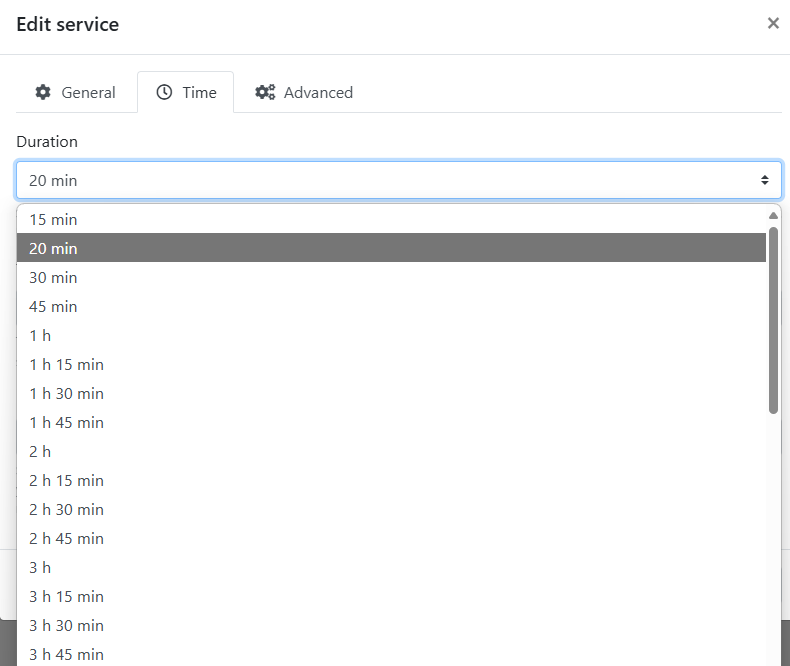
Hello Jeber,
In Settings > General > Time slot length, set 5 min and you'll have more options for the service duration.
Hello My services duration is 1 hr. and i would like to use padding time before of 15 minutes. I've setting like attachment image
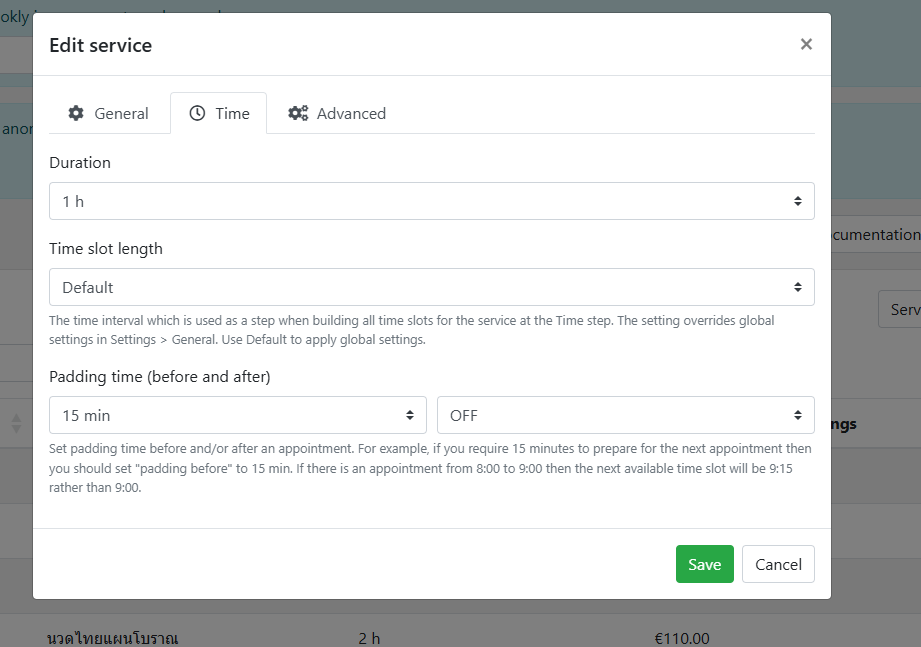
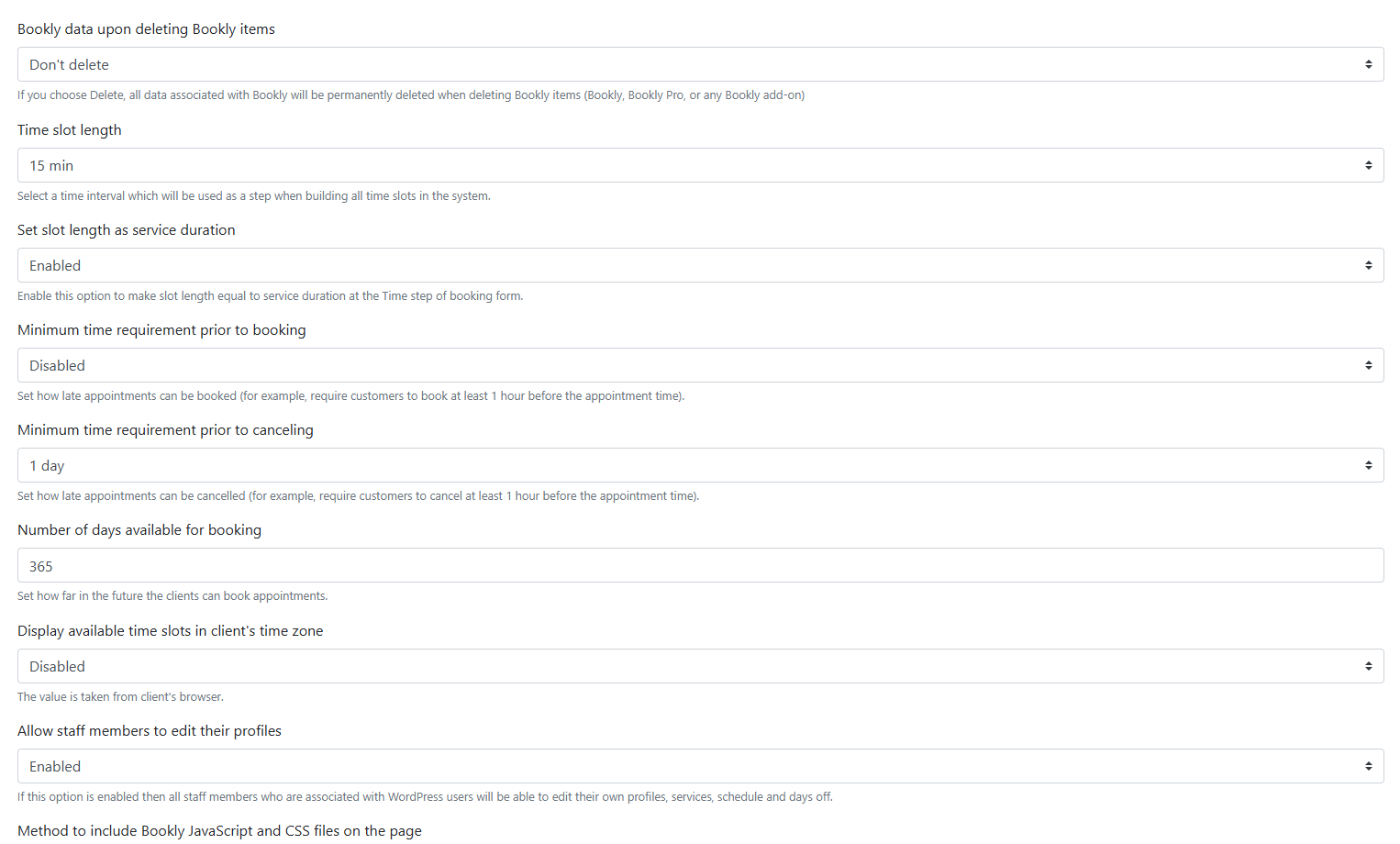
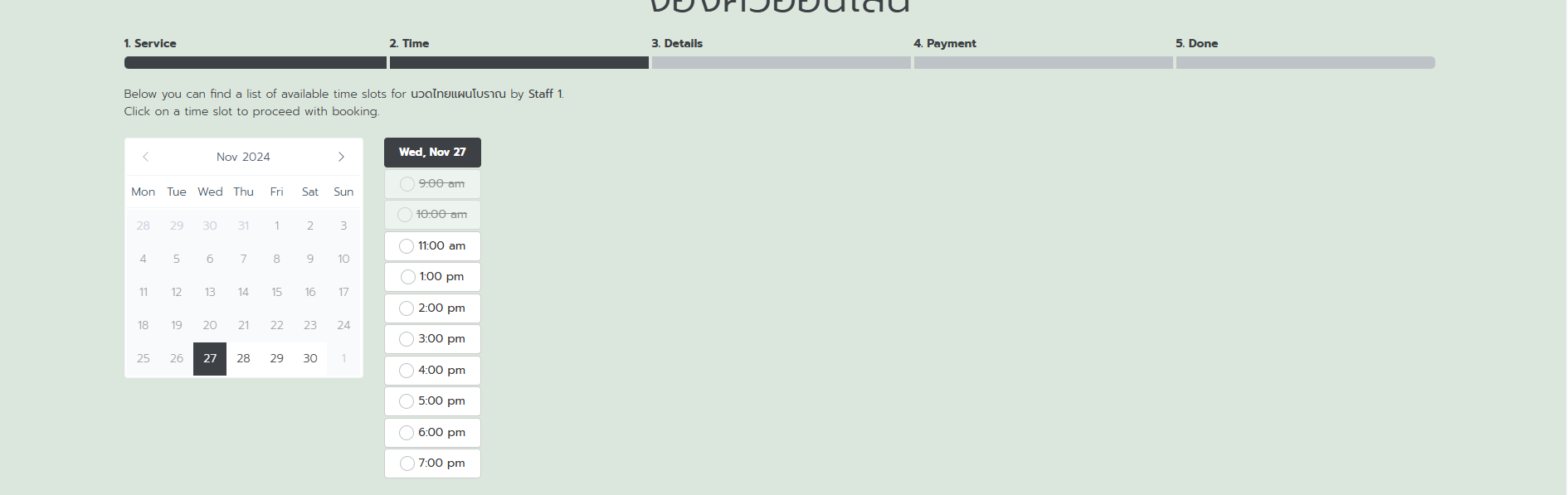
1. Why my slot don't show 09:00, 10:15, 11:15
2. I've booked at 09:00 why other user can't book at 10:00 actually it must to can booked at 10:00
Please sign in to leave a comment.