How do you display the location in the appointment listing to the customer on their page?

You see, at the time of scheduling, I deactivated the google meeting option, as I now have face-to-face appointments as well as online appointments, and I included the location information for this appointment in the service info field, where I filled in the address where the service is being scheduled. See the image below:
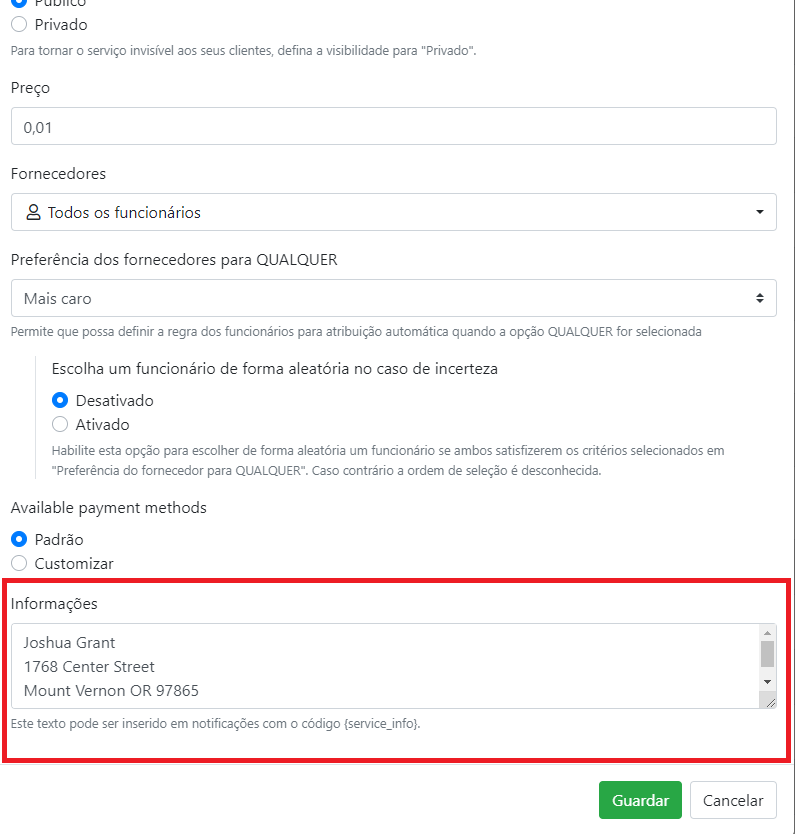
However, in the list of appointments that appears to the customer it is not possible for him to see this information, he can only see this information at the time of scheduling, that is, at the time he chooses the service to schedule, however, as my service is many the customer can schedule several with different addresses, so if my customer chooses 2 appointments he would not be able to remember for which address he scheduled the first one. Therefore, I would like the possibility of also providing in the appointment list in addition to the date and time information I would also like to show the location where he booked, whose location information was included in the service info field.
How can I make this available to him? Currently the only code that the customer sees is the one in the image below: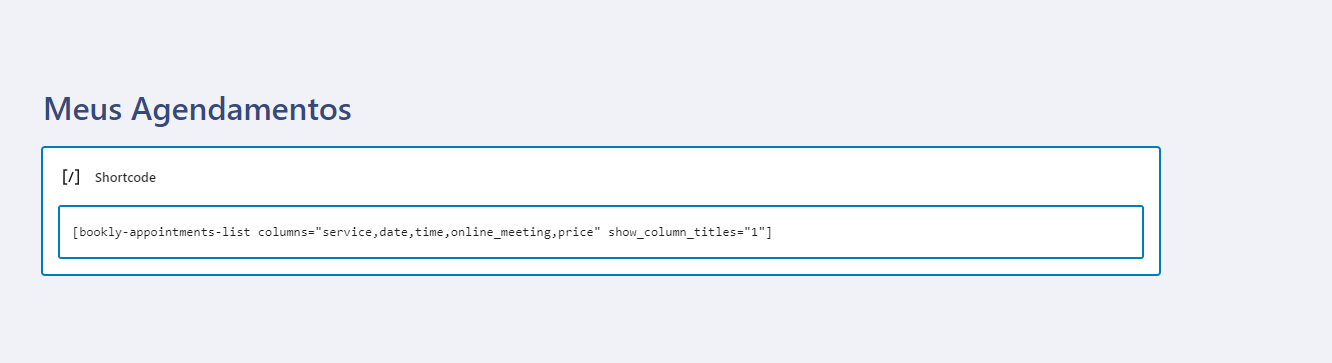
Comments
Hello Jessica, thanks for your feedback. Currently, this is not supported. However, we're constantly working on the plugin's improvement and forwarded this information to the team for review. This feature might be implemented in one of the future releases.
Please sign in to leave a comment.