Settings suddenly looks weird

Hi
I have bookly pro and I really like it. But the past couple of weeks "settings" have looked weird. Nothing works. I can't click on for example purchase code (oh well, I can click on it but it doesn't react). I can't remove notifications, change settings etc.
It looks like this:
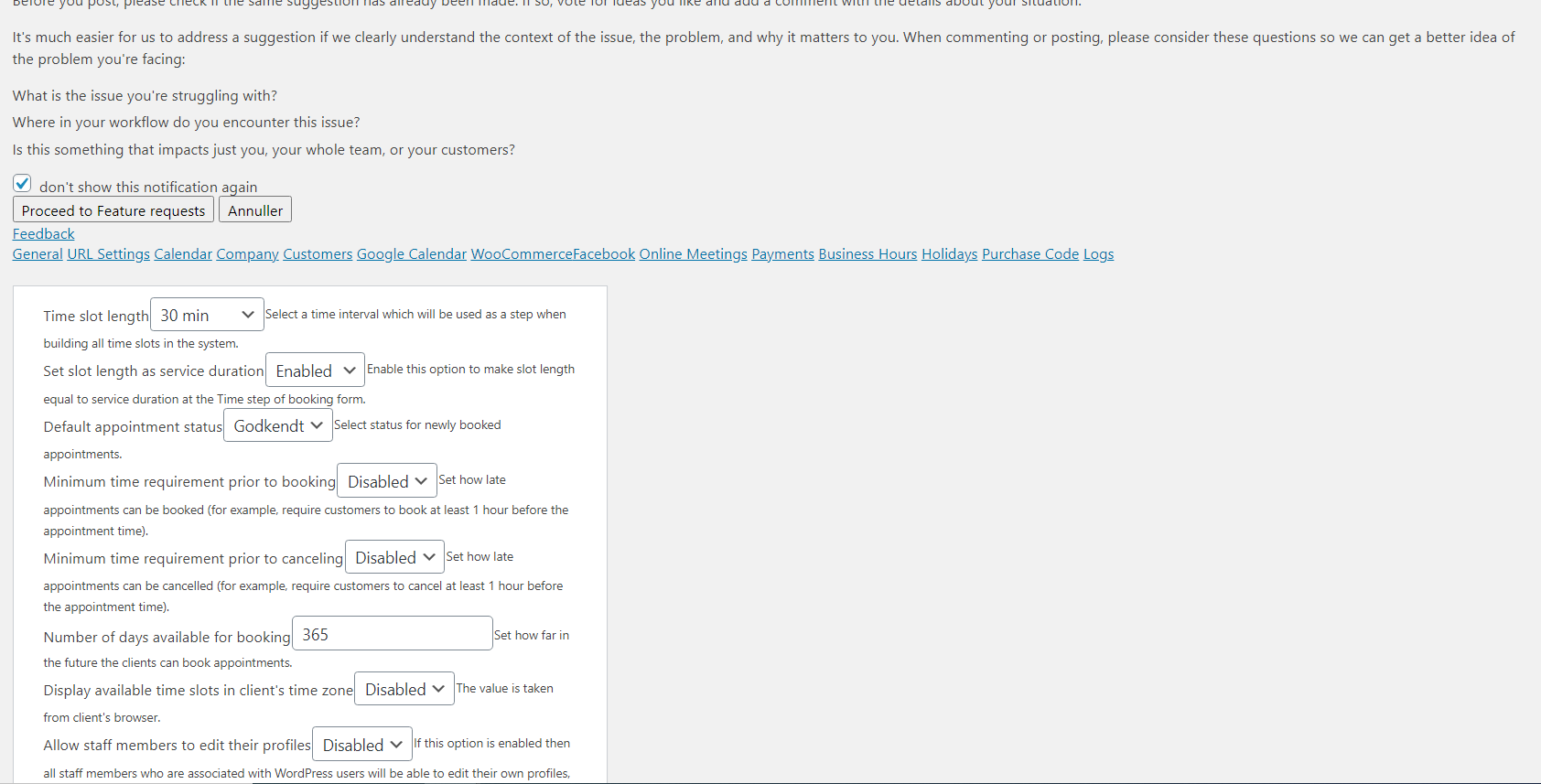
Suddenly I can't make bookings either.
What to do about it?
Best regards
Sara
0
Comments
Hi Sara,
Thanks for contacting us.
Please use the following steps to fix the Settings menu option issue:
1. Open the WP Options page by adding ‘options.php’ in the browser address field:
https://www.rtxbusinesspark.dk/wp-admin/options.php
2. Find the ‘bookly_pro_envato_purchase_code’ field and enter the Bookly Pro purchase code. Save the changes: https://prnt.sc/x8mocq
3. Please go to Bookly - Settings and check if the purchase codes for Bookly products are inserted in the Bookly - Settings - Purchase code
4. Go to the Plugins section and update all the Bookly products if needed (please see our changelog: https://www.booking-wp-plugin.com/change-log/ )
Let us know how it goes.
Regards,
Olya
Bookly Customer Support
Hi again
Thanks for the fast answer :)
The following steps helped:
1. Entering the purchase code.
2. Updated the plugin (the "settings" looked normal after that).
3. Clicked "save" on different settings without changing anything (opening hours, staff members and services). (I was able to make bookings again after doing that).
Best regards
Sara
I have the same problem again today: It wont allow me to make a booking.
I've tried my method again but it doesn't work this time. So I tried yours. But with no luck (the purchase code was already in the ‘bookly_pro_envato_purchase_code’ field). And the purchase code was also in settings. Everything is updated.
So far nothing works permanently.
Third option:
Yesterday I moved my website from my staging page to the original website. Now I've tried to disassociate the purchase code with the staging page. So far it works.
Hopefully it will keep working.
(Ok, turns out that didn't work either)
Hi Sara,
Thanks for your replies.
I would need some more information, therefore, please check your email, I will answer in ticket #144361 as it is private info.
Regards,
Olya
Bookly Customer Support
Please sign in to leave a comment.