Email & Phone Confirmation

Hi,
Everytime a customer attempts to book an appointment, the plugin prompt them to VERIFY regardless if its email or SMS. How can I disable this?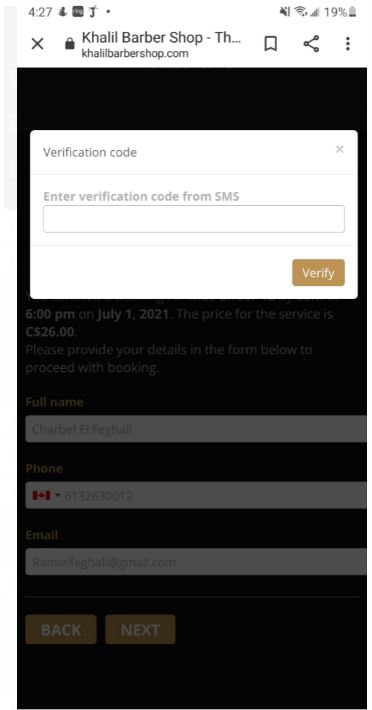
0
Hi,
Everytime a customer attempts to book an appointment, the plugin prompt them to VERIFY regardless if its email or SMS. How can I disable this?
Comments
Hi, I have this problem too. Did you solved it?
Under Bookly Settings --> Customer menu, at the bottom, you have option to turn the verification Off
Thank you very much! it worked :)
That worked, thank you.
Another question: I am not getting booking confirmation emails when I test the website as a user - I've tried 3 times, but not receving them; tried two different email addresses and also checked spam folders, but no notifications
I feel like a Bookly support team member :). I am not. If you are on Wordpress, first step is to make sure that Wordpress is sending any email from any other plugin. Also, I strongly encourage you to install Easy WP SMTP plugin. This plugin helps you properly setup and test email under Wordpress. Initially, I did have issue with other plugins and, after doing a proper setup via this plug-in, I have not experienced any problems with any plug-in that sends emails, including Bookly.
Give it a try.
Thank you Dunlace, I have this problem too!
Maybe bookly should hire you 😁!
Please sign in to leave a comment.