Hide bookly mobile step-2 booking form

Hello,
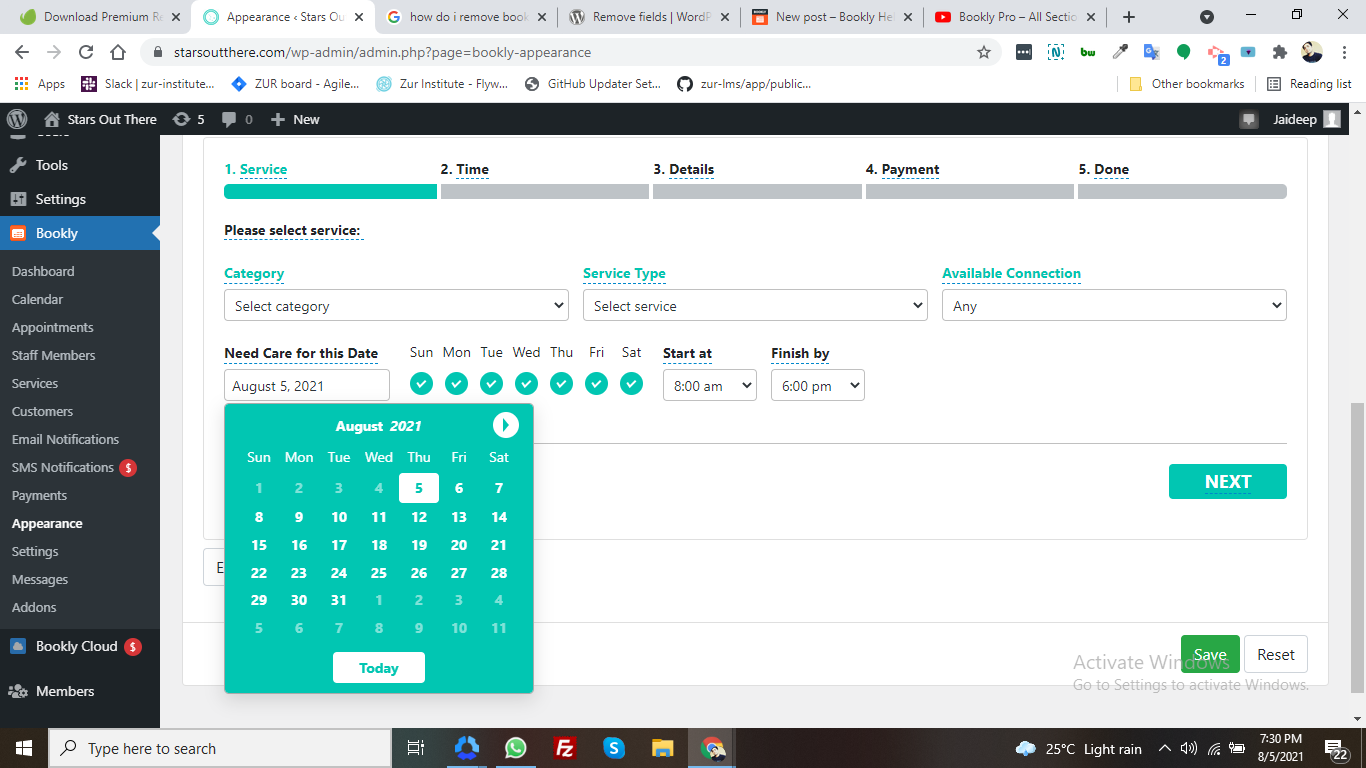
How can i remove/hide the (mobile step-2) 2nd step of booking form. I don't want to show the second step date picker with week day selection and start and ed date field.
Please suggest the correct solution ASAP.
1
Comments
I have used custom CSS to hide this. But the default value works for the next step. It's should disable. I also need to hide that section. But CSS is not a proper solution.
If you find any solution please share. I also need this solution.
Thanks in Advance.
Hello,
The I'm available on or after part can be hidden when you publish the booking form on a webpage. Tick the checkbox next to the Time range – Hide this field.
If you want to hide the Time step, so customers don't select the date and time for their visit at all, then you'll need the Bookly Tasks (Add-on): https://support.booking-wp-plugin.com/hc/en-us/articles/360013214654-How-to-skip-time-slot-selection-Tasks-Add-on-
Hope the above helps. If you have more questions, please reach out to us using the link below
https://support.booking-wp-plugin.com/hc/en-us/requests/new
Hi mate, I had the same situation and I used this shortcode
Please sign in to leave a comment.