advice on bookly for complex management

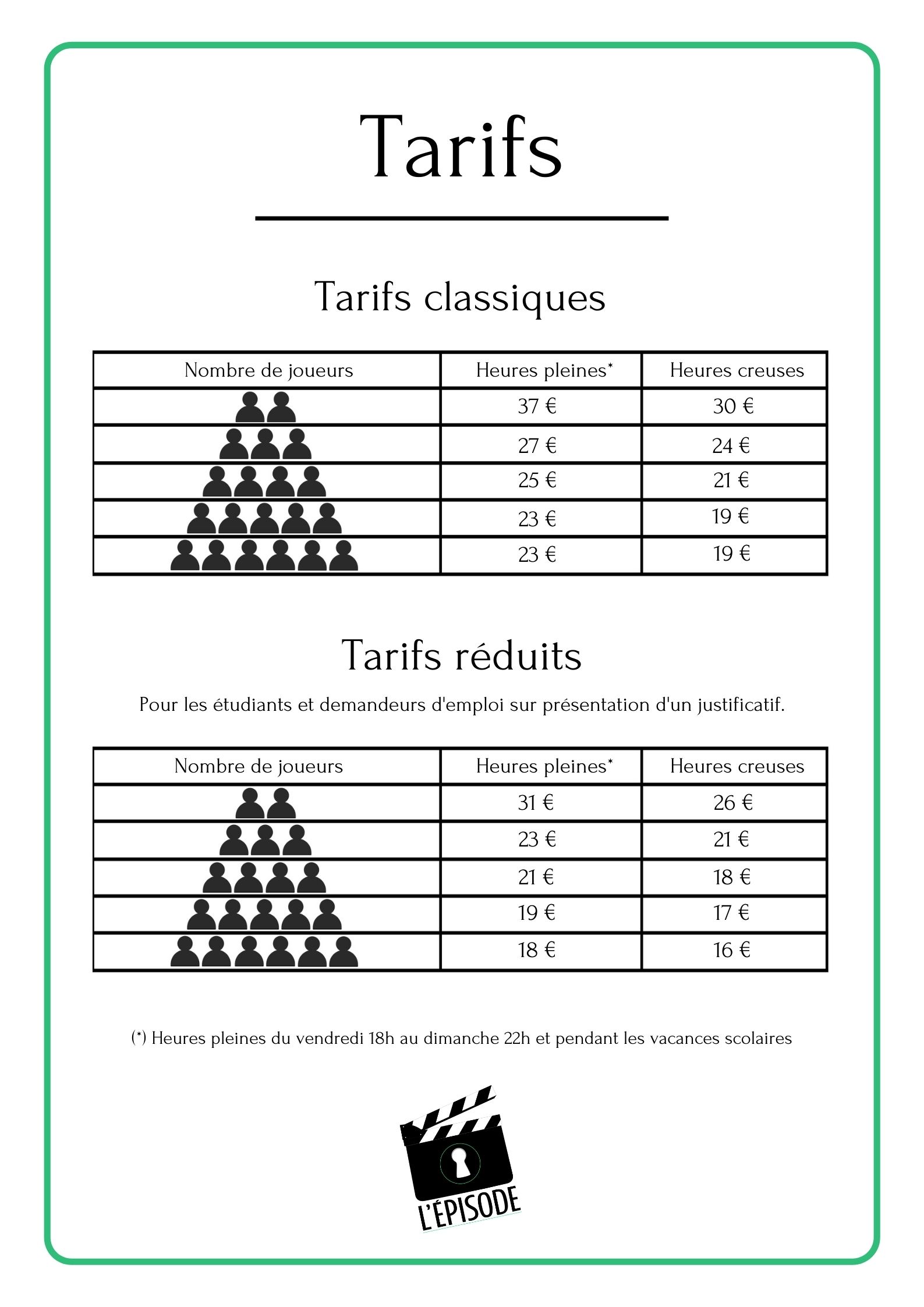
Hello I need a complete booking plugin for a company offering games by appointment, can bookly handle this? there are 2 versions of reservations: 1 / reservation of 2 to 5 players on Wednesday + Saturday + school holidays single price / duration 30min 2 / reservation of 2 to 6 players from Tuesday to Sunday all year round Duration 2h 2 prices: full and off-peak hour + reduction possible
0
Comments
Hi joël,
Thanks for reaching out.
Bookly is designed to work with a weekly schedule. After you set up the staff member's schedule, this schedule will be repeated for the following weeks. Please note that the system takes into account the staff member's schedule when rendering available time slots in the front-end/booking.
So the availability offered in the booking form is based on the schedule of the staff member. Whereas, the interval of the slots offered is regulated with the time slot length as this is the basis of how the hours are divided and presented in the booking form.
The add-ons https://www.booking-wp-plugin.com/features/ are intended to help give more flexibility to achieve desired features.
These add-ons should make these feasible.
Bookly Special Days Add-on:
https://support.booking-wp-plugin.com/hc/en-us/articles/212817929-Special-Days-Add-on
It allows you to set a custom schedule, including breaks that are different from default working hours/days for individual staff members. And this shift on special days from the default weekly schedule will apply to all staff members' services.
AND
Bookly Service Schedule Add-on:
https://support.booking-wp-plugin.com/hc/en-us/articles/213850385-Services-Available-at-Limited-Hours-Service-Schedule-Add-on-
It allows you to limit the hours within staff’s daily working hours when each service is available wherein it is service-specific and interacts with staff’s working hours in such a way that service availability hours and staff working hours overlap, thus creating an interval within each staff member’s day when the service can be provided so it is set up as a one-time interval for each day of the week, with breaks during the day.
So the services will only be offered based on what you specify on the services level.
If both add-ons are installed, you can override standard working hours for specific dates on the calendar by tweaking the days and hours when individual services are available for booking (vs standard Special Days functionality, which applies them to the entire staff member’s schedule and all of their services). You can even make the service completely unavailable for booking on particular days: select OFF in the time selection drop-down. Or make the service completely OFF every day except for Special Days.
Please check if the Bookly Group Booking Add-on: https://support.booking-wp-plugin.com/hc/en-us/articles/360000259594-Group-Booking-Add-on works for this requirement.
It allows you to accept group bookings or multiple persons for the same service at the same time and let customers specify the number of persons they’d like to book for when they choose a service at the first step of the booking process.
Please check if the Bookly Special Hours Add-on: https://support.booking-wp-plugin.com/hc/en-us/articles/213524185-Dynamic-Pricing-Special-Hours-Add-On- will work for this requirement.
It will allow you to set appointment prices depending on the hour of the day specific to the staff member providing a service so when the client has chosen an hour from time slots available, the total amount due will use the price that you have set up for appointments booked for that hour during the day.
Please check the demos:
OR try the sandbox on a live website before purchasing to better understand how Bookly PRO and its add-ons work and be able to discern if Bookly products fit your business needs.
To access the sandbox mode, please go to https://www.booking-wp-plugin.com/demo-list/ and add your email address and click on the "Configure" button then follow the rest of the steps that you'll receive on your mail.
If you require further assistance or have additional questions/clarifications about this, please send us an email to sales@bookly.info so we can look into this matter for you.
Many thanks!
Please sign in to leave a comment.